Google launches computer use in the Gemini app for Mac inside an isolated background window
Google announced on November 19 (UTC) that computer use is rolling out in the Gemini app for Mac. Running in an isolated background window with live chat preview, app-level permiss
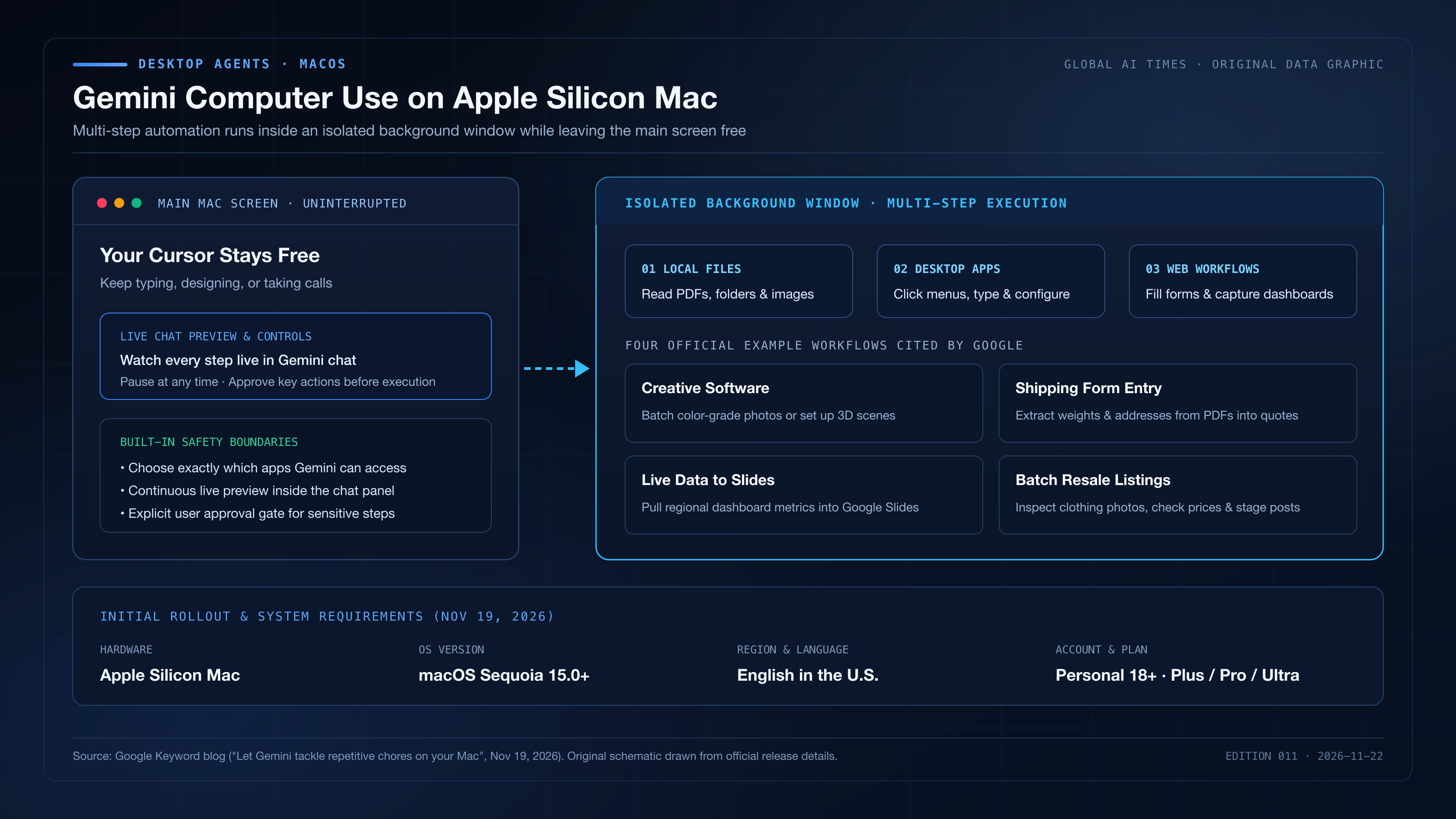
Google announced on its official blog on November 19 (UTC) that computer use is now available in the Gemini app for Mac, automating repetitive multi-step workflows across local files, desktop apps, and the web. Users describe the task they want done, and Gemini handles clicking, typing, menu navigation, and form entries.
Gemini operates inside an isolated background window with a live preview directly in chat, leaving the user's main screen and cursor free for typing, design work, or calls without interruption. Built-in controls let users pick exactly which apps Gemini may access, watch every step in real time, pause at any point, and approve key actions before execution.
Google highlighted four representative workflows: batch color-grading photos or setting up 3D scenes in design software; extracting weights, dimensions, and addresses from local PDFs into multi-box shipping quotes; pulling metrics and screenshots from multi-region live dashboards to assemble a Google Slides deck; and inspecting local clothing photos to research pricing and stage resale listings.
Computer use is initially rolling out in English in the United States through the Gemini app for Mac at gemini.google/mac. It requires an Apple Silicon Mac running macOS Sequoia 15.0 or later and is available to personal Google accounts aged 18 and older with a Google AI Plus, Pro, or Ultra subscription.
Sources and accountability
Editorial review completed.